WLCeh?
Jump to Section
Introduction and DISCLAIMER
Welcome to the WLCeh? section of StructurallySound.
Carbon calculations aren't hard. Not at the level where you want to get a handle on the impact of your design choices. But pulling the information you need together can be a bit painful.
The app doesn't do anything that you couldn't do yourself in a spreadsheet. But it does (hopefully) save you creating your own spreadsheet and sourcing your own data and just makes the whole thing more accessible when you are away from your computer.
I want people to have easier access to carbon calculations. You probably don't need the 'right' answer. You just need something that is good enough to inform your design choices. Quickly and easily.
This page explains how the app works. I could try to do it in the app itself, but it is hard to fit everything into the interface and make things easy to read. This gives me a bit more space.
DISCLAIMER: the results you get from this app will be wrong! Arguably, the results of any WLCA are wrong, but this app is more wrong than that. The approximations and assumptions are intended to help give you a rough idea and let you play with some options, try some things out, generally get acquainted with WLCA and what it means for your project. The focus is on ease of use over accuracy, because an accurate WLCA takes far too long, in my opinion, relative to the value it offers. You need numbers that help you make decisions early on, not accurate numbers that record where you end up. Those have their place, but this is not that place.
Bias in the app and the data

The carbon data, but also the app as a whole, reflects my background as a structural engineer based in the UK. Not because I don't think it can't, or shouldn't, represent other disciplines and regions, but because that is what I know best.
There is no reason why it couldn't do a better job of reflecting other disciplines and regions, but I need to know what you, the users, would find helpful.
Please do contact me via the About page and let me know what you would find useful. I'll do my best to accommodate you. It is tricky to balance all the things that I would like the app to do, with making it easy to use on a mobile phone. If I know what users want, then I can adjust the app's focus.
It is worth adding that I think the approximate nature of the approach I have taken means that it is probably as wrong in your region as it is in mine. Transport distances and modes probably aren't significant when the concrete number is already +/-50%, for example. As I have stated elsewhere, this app is about giving you a feel for the carbon numbers, not giving you an accurate answer.
Use of Variables
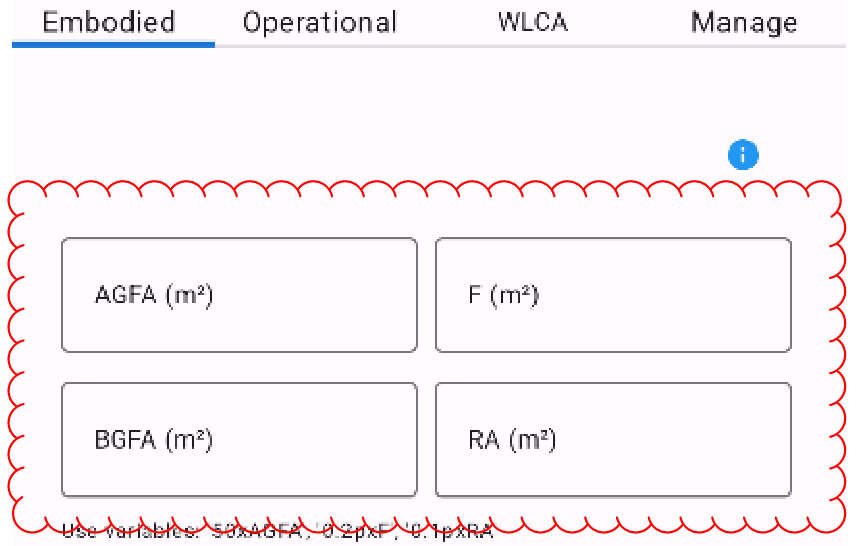
These variables are to help you calculate carbon by referring to the main variables that you might find useful.
They don't do anything in themselves. But they save you putting in the same number lots of times. If you want, for example, 200mm concrete slab across your above ground floor area, then then they help you do that.
Let's say you want 50kg structural steel per m2 of Above Ground Floor Area, then you can input "50xA" and the carbon calculation will give you 50kg of your selected material (probably "Steel - structural") per square metre of your above ground floor area.
IMPORTANT: don't forget the 'x'! If you do, then the calculation will be incorrect. You can use '*' instead, if you prefer the Excel approach (eg "50*A").
Another example. If you want a 200mm thick slab, then you can put in "0.2pxA" where the 'p' is for density, so "0.2p" is 200mm thick concrete (weighing 0.2m x 2400kg/m3 = 480kg/m2).
There are carbon numbers for reinforced concrete as well, so if you are only after an early estimate (which you must be if you are using this app) then a 300mm concrete slab, normally reinforced, across the above ground floor area would be "0.3pxAGFA" and you select the "Concrete - structural - normal reinforcement (kg)" material.
In some cases a m2 value is more useful, so if you have 15000m2 facade, then you might take the Curtain Wall (m2) value, in which case you would input "FA" (Facade Area, which you have set as 15000) and choose "Curtain Wall (m2)" as your facade type.
If I haven't represented all of the standard variables you would like, then let me know via the 'About' page, which has a contact form. I am trying to balance complexity and sufficiency, so that you can get the answers you need without the app becoming hard to navigate.
Why 'construction products'?
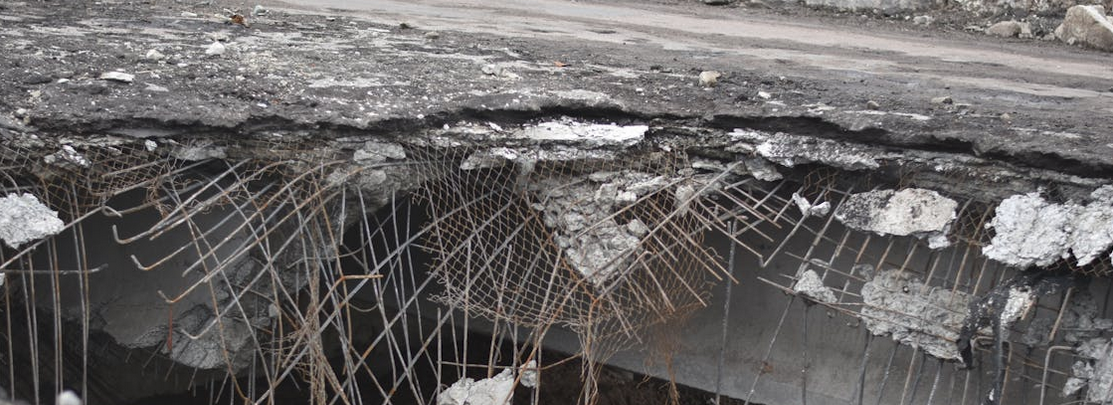
Just having materials to choose from has its place in WLCA, but I think it is useful to understand how much impact your choices have on the WLCA for all disciplines combined.
That means I have included smeared estimates based on m2 or kg. An allowance based on m2 for services distribution, for example. These are not quantities of a single material, but an allowance that represents a combination of materials.
The most obvious example is building services, where there is a kgCO2/kg carbon factor that is based purely on the weight of equipment and assigning an overall carbon factor. An air handling unit is mainly galvanised steel sheet, whereas a server has a lot of high carbon intensity electronics. So a smeared factor makes the most sense at the early stage, where you have an idea of whether a bit of equipment is high carbon intensity or not, but you certainly won't know the material breakdown. And even if you did, trying to represent it in an app like this would be a fool's errand.
A simpler example might be reinforced concrete. It is useful to have reinforced concrete as a single product, rather than needing to add concrete and reinforcement separately.
One day, an app like this might allow you to choose from a vast array of construction products, saving you time in selecting all manner of material combinations. How about 1m2 of concrete, reinforcement, metal decking, ceiling tiles, services distribution and floor finishes? That would be 1m2 of 'a typical office in the UK'. But to keep the app usable, I tried not to get carried away with the list of possible construction products.
Getting More Detailed

I don't imagine that anybody is going to try and use this app to replace a proper WLCA. However, using the CSV export/import it is possible to create a more detailed assessment than you might be comfortable doing using the app alone - purely because adding many products on a small screen gets fiddly once you get beyond about 10 rows.
If you export your results to CSV, you can then add more lines to the embodied carbon table and then reimport the CSV. If you are adding new construction products in those additional lines, make sure you copy/paste the product name from the embodied_data.csv file, so that the name is an exact match.
View carbon factors

You might well wonder what the underlying carbon factors are that the app is using.
Under the Manage tab there is a 'Use my own carbon data' button. That will export the embodied carbon reference file, which provides the source and/or assumptions for the carbon factors that the app uses.
All of the carbon factors are modules A1-A3, i.e. upfront carbon. In reality, services might be replaced every 15-20 years for example, so this is a significant simplification.
Use your own carbon data

If you don't like the carbon values I have used, you can replace them with your own. Or add new ones.
Under the Manage tab there is a 'Use my own carbon data' button. That will export the embodied carbon reference file and make it the new source of embodied carbon data. You can then edit that file as you wish.
The app uses the DisplayText column to populate the dropdown lists, the Density to calculate kg of the product, and the Value to calculate carbon.